
Search
Live migrating an instance means moving its virtual machine to a different OpenStack Compute server while the instance continues running.
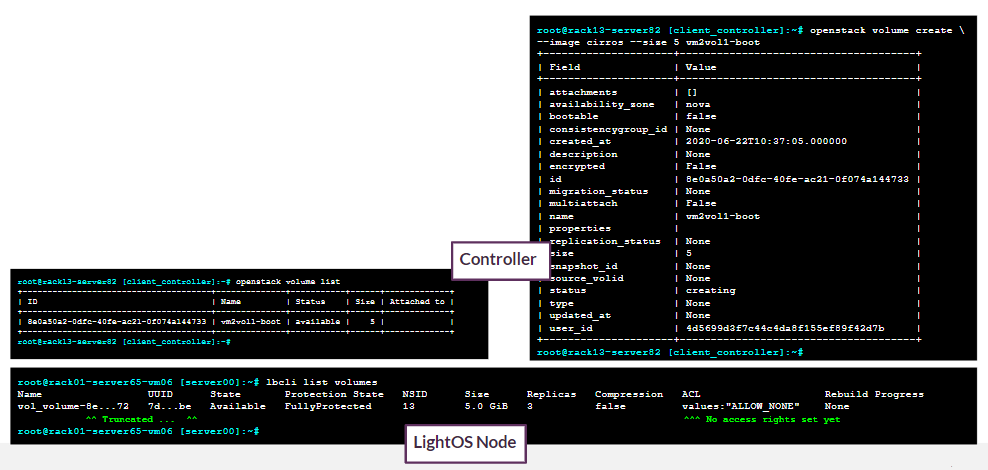
Live migration involves first creating a volume from an image through Cinder. This is visible on both Lightbits and OpenStack.
openstack volume create --image cirros --size 5 vm2vo11-boot
openstack volume list
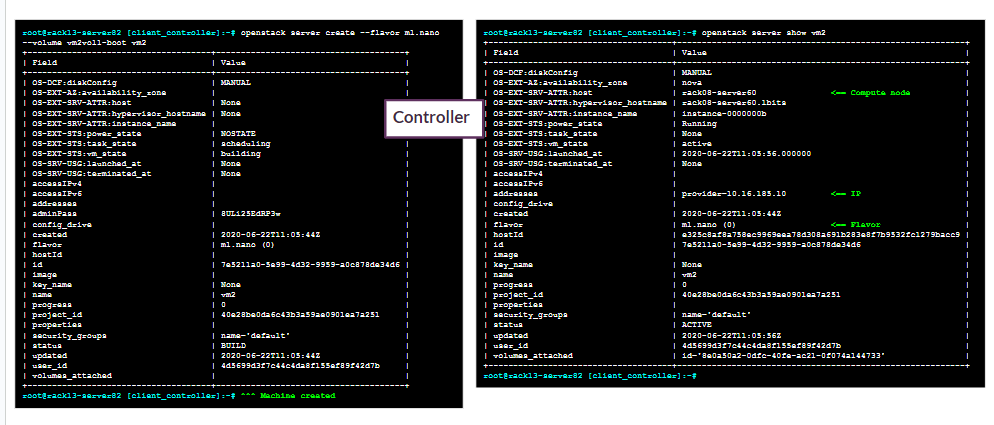
Server creation for live migration is illustrated below.
openstack server create --flavor m1.nano --volume vm2vol1-boot vm2
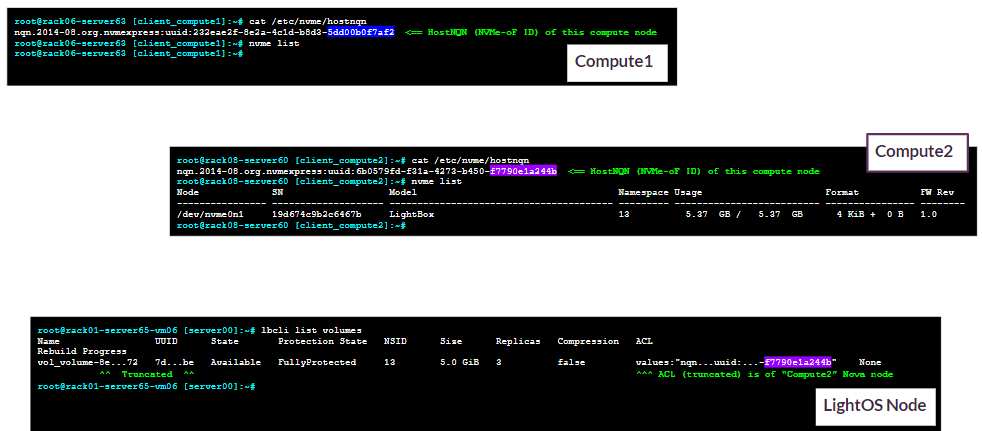
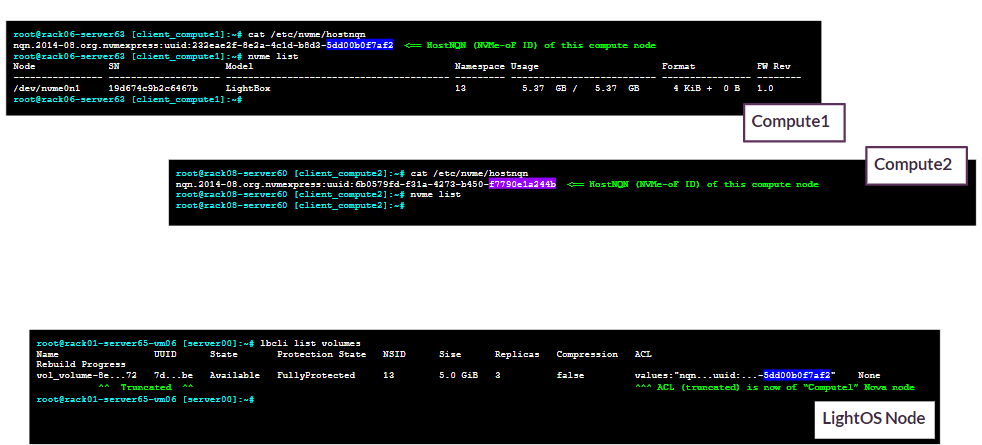
Before the migration, NVMe/TCP volumes will be as follows:
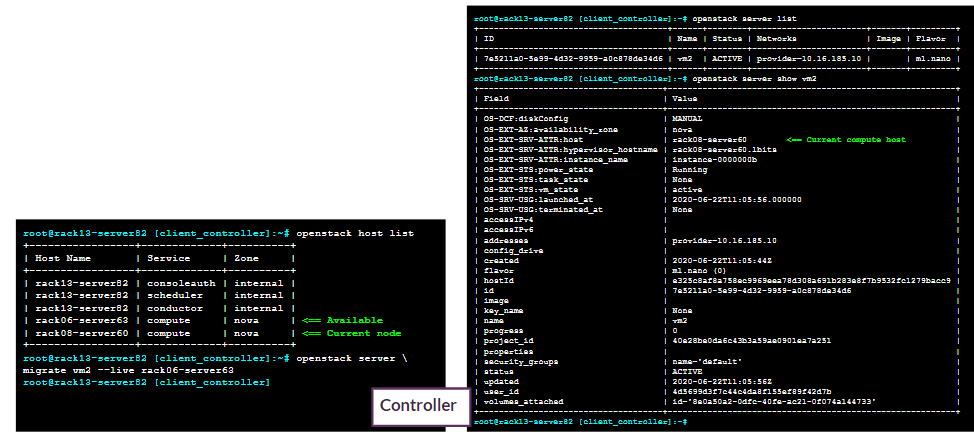
The live migration itself includes the following:
Identifying the current compute host.
Identifying other compute hosts.
Migrating to other compute hosts.
openstack server list
openstack host list
openstack server migrate vm2 --live rack06-server60
After the migration, the NVMe/TCP volumes look as follows:
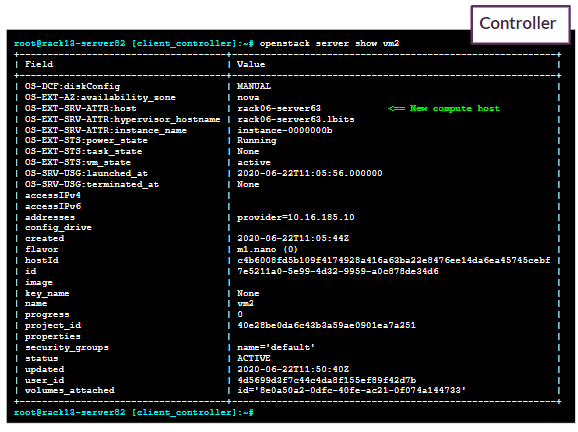
Finally, the live migration is verified, with a new compute host reported:
openstack server show vm2
Was this page helpful?