Installing the Lightbits Operator on OpenShift 4.19

The following are instructions for how to install Lightbits Operator on OpenShift version 4.19.

Note

You will first need to create a new project for the CSI, using #oc new-project <project-name>.

  1. Install the operator using the OpenShift Web Console.

  2. Create the cluster and csidriver CRs in your own selected OpenShift project.

The following steps detail how to install the Lightbits CSI using the Red Hat OperatorHub.

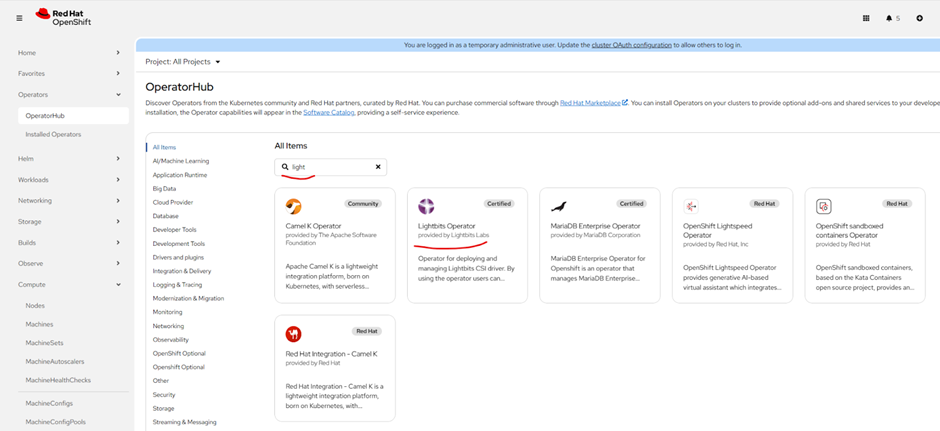
  1. Use the OpenShift Web Console to install the Lightbits Operator. Select the OperatorHub and search for Lightbits and follow the on-screen instructions.

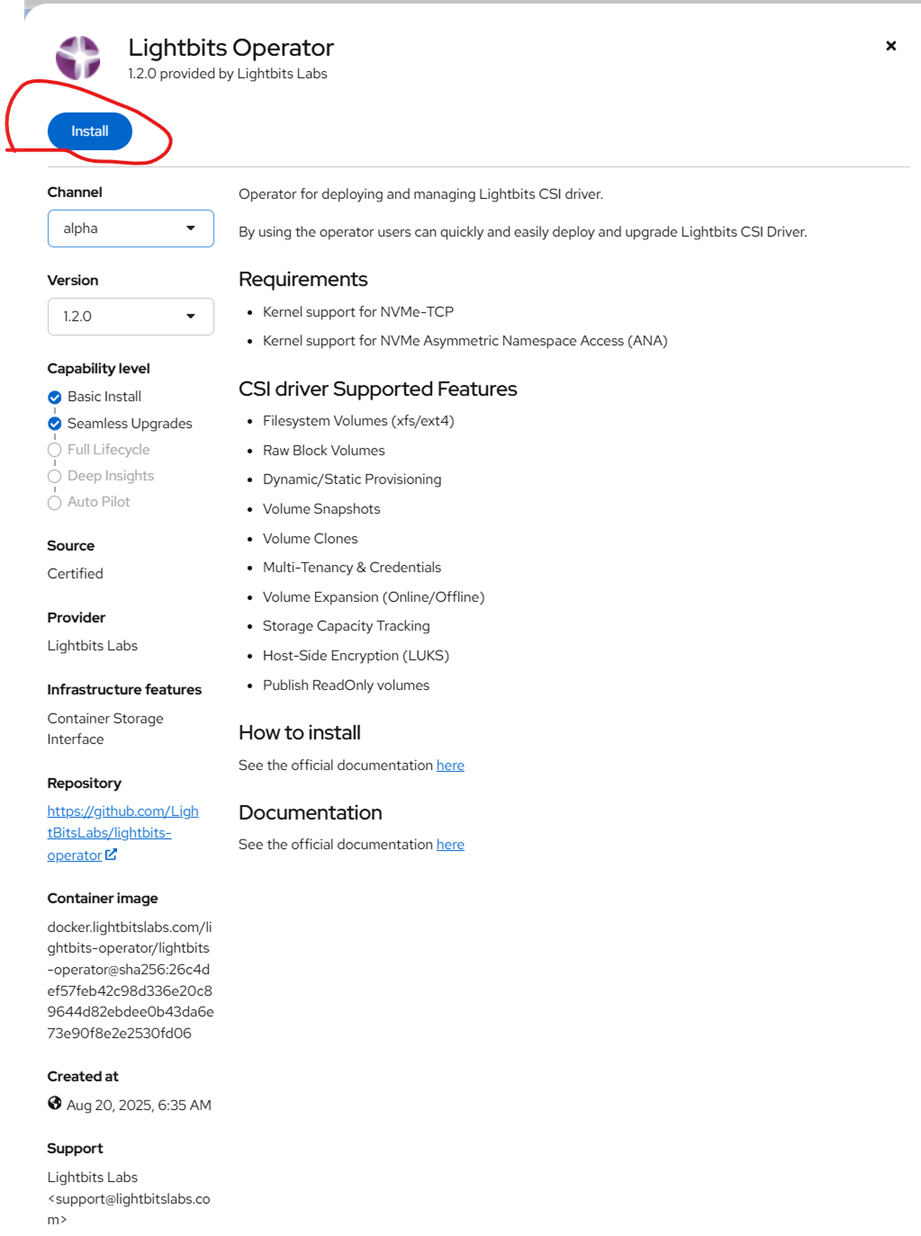
  2. Click Lightbits Operator.


  1. Click Install.


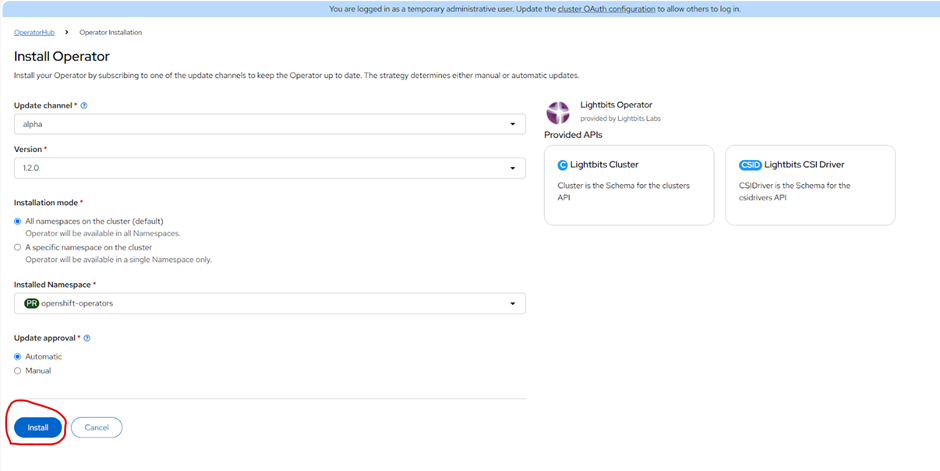
  1. Click Install.


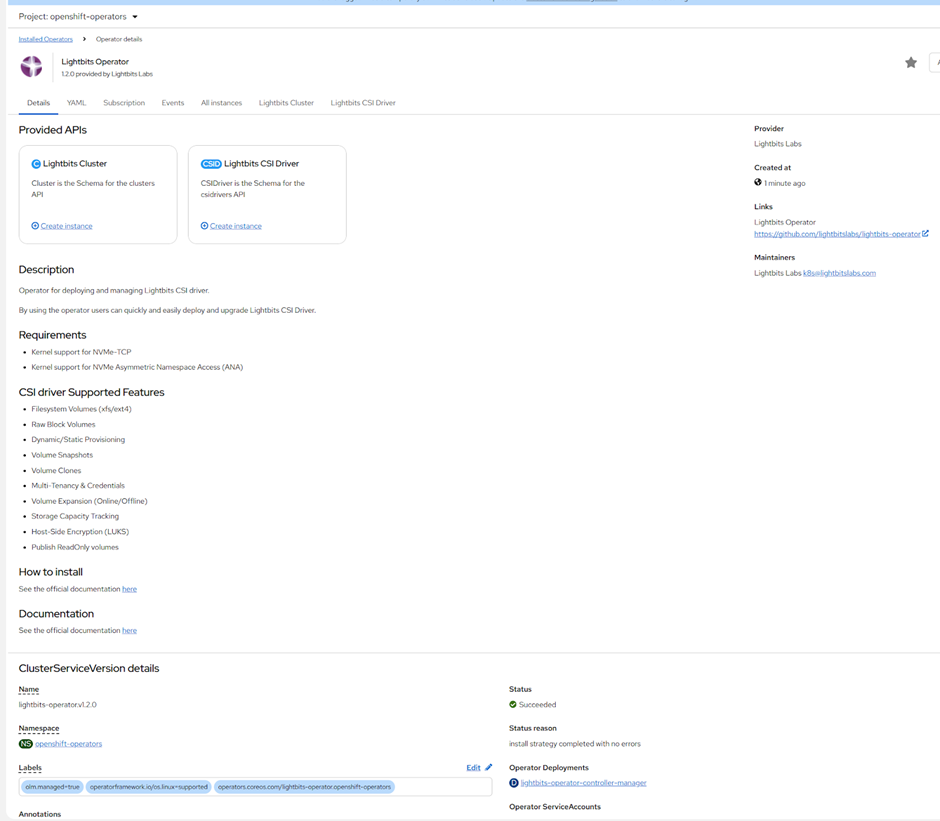
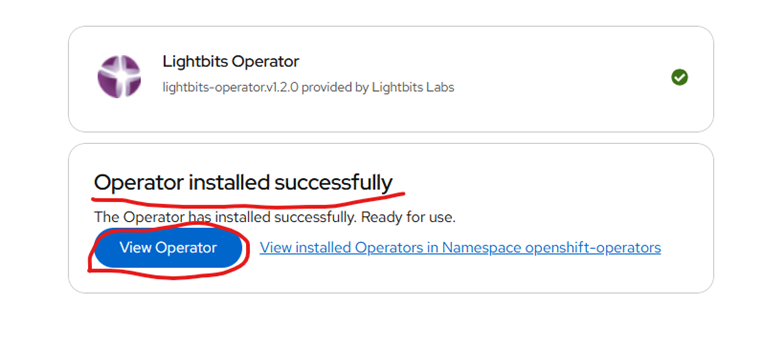
  1. Click View Operator if you want to inspect it.


  1. Create a secret yaml file for the Lightbits cluster. Below is a sample of a secret file. Make sure to change the <name> and <namespace>, and add the base64 format Lightbits JWT token.

# Source: lb-csi-workload-examples/charts/storageclass/templates/secret.yaml
apiVersion: v1
kind: Secret
metadata:
name: lb-secret
namespace: lightbits
labels:
helm.sh/chart: "storageclass-0.1.0"
app.kubernetes.io/instance: "release-name"
app.kubernetes.io/version: ""
app.kubernetes.io/managed-by: "Helm"
type: Opaque
data:
jwt: |-
ZXlKaGJHY2lPaUpTVXpJMU5pSXNJbXRwWkNJNkluTjVjM1JsYlRweWIyOTBJaXdpZEhsd0lqb2lTbGRVSW4wLmV5SnBjM01pT2lJdllXNXphV0pzWlM5c2FXZG9kRzl6TFdObGNuUnBabWxqWVhSbGN5OWpaWEowTFd4aUxXRmtiV2x1TFd0bGVTNXdaVzBpTENKeWIyeGxjeUk2V3lKemVYTjBaVzA2WTJ4MWMzUmxjaTFoWkcxcGJpSmRMQ0poZFdRaU9pSk1hV2RvZEU5VElpd2ljM1ZpSWpvaWJHbG5hSFJ2Y3kxamJHbGxiblFpTENKcFlYUWlPakUzTlRjek5UZ3hNeklzSW1WNGNDSTZNVGM0T0RnNU5ERXpNbjAuVzViYWlYZWR3Z3BfcGFDc3hWa1N1VDQtOXFvMEk1VThaMHZncnoxTGw0OWhlYkZmbTFQUHA4S2pXNDRaVEFST2Vqa1N1TF9aSlJ3elc2bERTYlFLX0tYeDNOMmhHQnQ0ODk5TmEzNGJrRE5LTy1POEdlN1lrNHE1VEt4dExURVhhc1JhUlc1YUdRbGhtMTViQnBuSTRzOXp6ZjhhU3pDdndodGJJWFNSZVM0WXRXZDAyWklHcTd3bmVfd1ZnX2FPQkxBcVdiVk1WR0JhTDJQb0pNZmlya0hiZmNMazdvdzdtNUc1SDdqczhjVFVaRkZDWERlYXNMSjZLeHU3Mk1aa25iSDVOajNwSlBjUFVpbXVxdmVaempFRUxvTnpfcmVwX3NIWlFrckNicmxEUE5TNXBPZkpLVG01d3JIbjNJZHRYYWFvX0ItbEVBTlVQaENmeE5qYlZR
  1. Deploy the secret file and verify:

# oc apply -f <secret>.yaml

# oc get secret -n <namespace>

  1. Create a Lightbits Cluster Custom Resource (CR) and install it. Below is an example of the CR. Make sure to change the IP addresses and other relevant fields.

apiVersion: storage.lightbitslabs.com/v1alpha1
kind: Cluster
metadata:
name: lightbits-cluster
namespace: lightbits
spec:
clusterName: abc-lightbits
projectName: default
clusterAdminSecretName: lb-secret
addresses:
- ip: x.x.x.x
port: 443
scheme: grpcs
- ip: y.y.y.y
port: 443
scheme: grpcs
- ip: z.z.z.z
port: 443
scheme: grpcs

# oc apply -f <lightbits-cluster.yaml>

  1. Create a Lightbits CSI Driver CR and install it. Below is a sample of the CSI driver CR.

# lightbits-csidriver.yaml
apiVersion: storage.lightbitslabs.com/v1alpha1
kind: CSIDriver
metadata:
name: lightbits-csi
namespace: lightbits
spec:
clusterRef:
name: lightbits-cluster
namespace: lightbits
controller: {}
node: {}

# oc apply -f <lightbits-csidriver.yaml>

  1. Verify to ensure that the statefulset and daemonset are running.

# oc -n <project> get sts,ds,pods

  1. Create a storage class and install it. Below is an example of a storage class. Make sure to change the values to reflect your cluster.

# Source: lb-csi-workload-examples/charts/storageclass/templates/storageclass.yaml
apiVersion: storage.k8s.io/v1
kind: StorageClass
metadata:
name: lb-sc
provisioner: csi.lightbitslabs.com
allowVolumeExpansion: true
parameters:
mgmt-endpoint: x.x.x.x:443
replica-count: "1"
compression: disabled
project-name: default
mgmt-scheme: grpcs
csi.storage.k8s.io/fstype: ext4
csi.storage.k8s.io/controller-publish-secret-name: lb-secret
csi.storage.k8s.io/controller-publish-secret-namespace: lightbits
csi.storage.k8s.io/controller-expand-secret-name: lb-secret
csi.storage.k8s.io/controller-expand-secret-namespace: lightbits
csi.storage.k8s.io/node-publish-secret-name: lb-secret
csi.storage.k8s.io/node-publish-secret-namespace: lightbits
csi.storage.k8s.io/node-stage-secret-name: lb-secret

# oc apply -f <lightbits-sc.yaml>

  1. Verify:

# oc -n <namespace> get sts,ds,pods

  1. This completes the procedure. You can now create the pods and pvc to test it.